
Rick Roll QR Code Generator: Free and Ready to Prank
Turn any scan into Rick Astley. Free — a static code downloads with no account, no card.

Pattern
Eyes






Grab and go
The Ready-Made Rick Roll QR Code
No setup, no thinking required. This QR code comes pre-loaded with the one and only Rick Astley video, so you can download it and start pranking in a single click. And yes, it points to the official “Never Gonna Give You Up” music video — 100% real, 100% harmless.
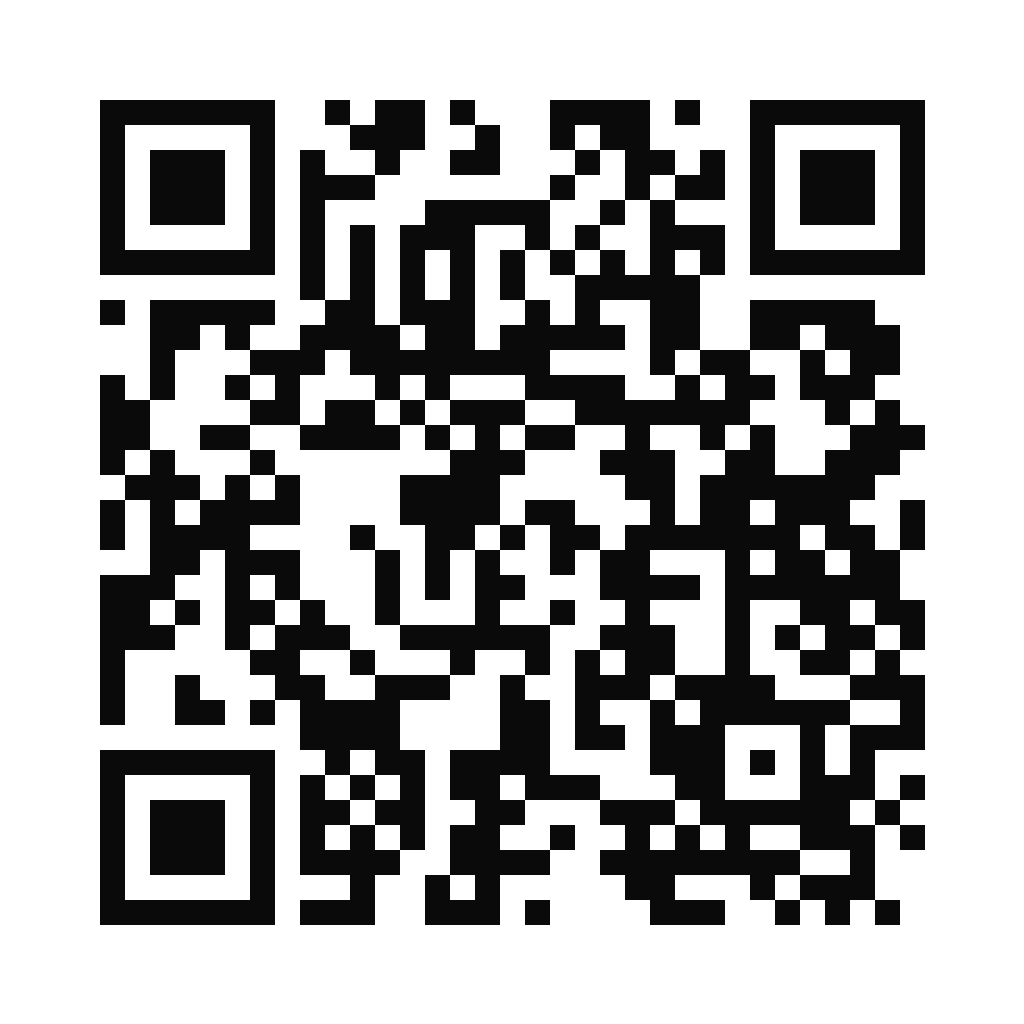
Points to: Rick Astley — “Never Gonna Give You Up” (the official video on YouTube)
It only opens a music video, so nobody gets hurt and Rick actually earns the view. Keep it a joke, never a trick.
Printing it on a sticker, shirt, or poster?
Use the SVG. It is a vector, so the same file prints crisp at 2 cm on a sticker or 2 metres on a banner. Keep a clear margin around the code, print it no smaller than about 2 cm (0.8 in) square, and scan the printout with a phone before you order a batch.
This one downloads as a crisp SVG that scales to any size, no account needed. Want your own colors and logo? Build one with the generator above — a static one downloads as a PNG with no account. SVG and PDF come with any paid plan.
Build your own
How to Make Your Own Rick Roll QR Code
Want a custom prank QR code instead? You can build one right here in under a minute — free to design with no account, and no watermark ever. A static code downloads as a PNG with no account; SVG and PDF come with any paid plan.
Copy the Astley link
Grab the classic URL: youtube.com/watch?v=dQw4w9WgXcQ. That single link is the entire prank.
Open the generator
Use the generator on this page and pick the URL type. That tells your QR code to open a web link when it's scanned.
Paste the link
Drop the Rick Astley URL into the field. Your QR code preview updates live as you type.
Make it look innocent
Change the color, add a logo, or wrap it in a frame with an inviting label. The more legit it looks, the harder your friends fall for it.
Download and test
Export a static PNG with no account — SVG and PDF come with any paid plan — then scan it yourself first. Confirm Rick shows up before you print or share it anywhere.
Printing your prank? A static code encodes the Rick Astley link permanently, so it always works but can never change. A dynamic QR code keeps the same image while letting you swap the destination later — handy if you want to rickroll first and reveal your real link afterward. Creating either is free, and repointing your free dynamic code costs nothing; extra dynamic codes, unlimited scans and detailed analytics are on a paid plan.
Prank inspiration
Funny QR Codes People Actually Fall For
A rickroll lands best when it shows up somewhere nobody expects. Here are six of our favorite places to hide a funny QR code.
April Fools' Cards
Slip a QR code into a birthday or April Fools' card that promises a special message. The special message is, of course, Rick.
Meme Merch
Print it on a t-shirt, hoodie, or sticker. Curious strangers scan it, and you become a walking rickroll.
Gift Box Surprise
Tape a code inside a gift box or under the wrapping, labeled as your receipt. It is not a receipt.
Totally Legit Flyers
Post a very official-looking flyer with a more-info code. The extra info happens to be a 1987 pop anthem.
Group-Chat Easter Egg
Drop the QR image into a group chat or your email signature as a mystery link. Watch to see who bites first.
Slide-Deck Surprise
End a presentation with a resources QR code. Nobody expects Rick Astley on slide 42.
Change it later?
Static vs Dynamic: Can You Repoint It Later?
Both kinds of QR code look completely identical. The only difference is whether you can swap the destination after you've already shared it.
Static Rickroll QR
FreeFree, unlimited, and it never expires. A static code permanently encodes the Rick Astley link, so every scan opens the video forever. Perfect for a quick one-off gag — just know you can't change where it goes once it's out in the wild.
Dynamic Rickroll QR
EditableKeeps the same printed image but lets you edit the destination anytime and adds scan tracking. QRKIT's free tier includes exactly 1 dynamic code with up to 100 scans per month, and repointing it costs nothing — swap the destination as often as you like. More dynamic codes, unlimited scans and detailed analytics start at Starter ($6/month billed annually).
Our Recommendation
Pick oneFor a one-time laugh, static is all you need. Go dynamic if you want to rickroll people first and quietly swap in your real link later, or if you simply must know how many friends you got.
Prank responsibly
Keep It Harmless
Rickrolling is all in good fun, and here's how to keep it that way.
- It's just a music video. The worst that happens is someone hums the chorus for the rest of the day.
- Own up and label it as a joke once the moment lands, so no one feels genuinely tricked.
- Get a quick thumbs-up before rickrolling coworkers, clients, or anyone in a professional setting.
- Never disguise a QR code as an official, payment, or login code, and never use one to phish or mislead. That's not a prank, that's a problem.
110K+
creators
Free
No watermark, ever
150+
Countries
Does it work?
Yes, It Actually Scans
Every code you make here works with the built-in camera on any modern iPhone or Android. No app, no download. Your target just points their camera at it, taps the link, and gets got.
If a scan doesn't fire, it's almost always the basics: the code is printed too small, there isn't enough contrast between the code and its background, or it's missing a quiet zone (the clear margin around it). Bump up the size, keep it dark-on-light, and give it a little breathing room. Still stuck? Our how to scan a QR code guide and QR code not working fixes cover the rest.
Rick Roll QR Code — Frequently Asked Questions
Ready to roll
Never Gonna Give Up
on a Good Prank
Download the ready-made code with no account, or build your own in under a minute — a static code downloads with no account either, no card, no catch.