QR Codes on Posters: Size, Placement & Tracking
Turn any poster into a tap-to-act moment — tickets, RSVPs, trailers, sign-ups. Size it right for the room, track scans, and update the destination without reprinting. A static code downloads with no account — a dynamic one takes a free account, no card.
Trusted by 110K+ creators · 150+ countries

Poster QR codes explained
What Is a QR Code on a Poster?
A QR code on a poster is a scannable square that turns a passer-by into an action — buying a ticket, watching a trailer, RSVPing to an event, or signing up. Instead of hoping people remember a URL, they point their phone camera and go. If someone needs help, our scanning guide covers iPhone and Android.
A static code has a fixed link baked into the print. A dynamic code points to a redirect you control, so you can change where it leads after the poster is printed — and it tracks every scan. For posters, especially event posters that outlive the event, dynamic is almost always the better choice.
The one thing posters demand that smaller print doesn't: the code has to be big enough to scan from a distance. Get that right (see the sizing section below) and a poster becomes one of the highest-visibility places you can put a QR code.
Static vs. Dynamic QR Codes for Posters
Swipe to see all columns →
| Feature | Static Code | Dynamic Code (QRKIT) |
|---|---|---|
| Cost | Free | Free (1 code, 100 scans/mo) |
| Change link after printing | No | Yes |
| Scan tracking | No | Scan counts free; device, location & time on Starter and up |
| Compare posters by location | No | Yes (one code per location, paid plan) |
| Custom branded design | Yes | Yes (logo, colors, frame) |
| Best for posters | Permanent links only | Events & campaigns |
One Poster, Many Destinations
Sell tickets before the show, stream during it, share the recording after — all from the same printed code. Update the link anytime.
Know What's Working
Every plan counts total and unique scans; timing, device and location breakdowns come with Starter and up. See which posters, venues, or neighborhoods drive action.
On-Brand & Eye-Catching
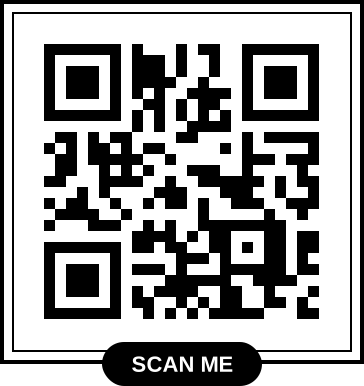
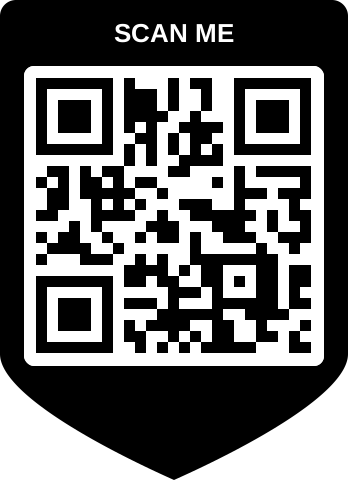
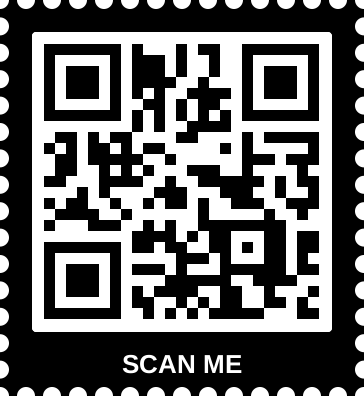
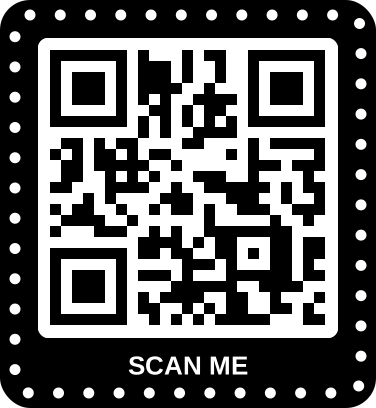
Add your logo, brand colors, and a call-to-action frame so the code fits the design and invites the scan instead of hiding in a corner.
Sharp at Any Size
Export vector SVG that stays crisp from an A3 poster to a wall-sized banner — no pixelation at large-format sizes. PNG is free (no account for a static code); SVG comes with any paid plan.
110K+
Creators
150+
Countries reached
99.9%
Uptime
Making a flyer instead of a poster? Flyers are handled up close, so the sizing and layout advice differs — see our guide to QR codes on flyers. For peel-and-stick codes, see QR code stickers.
Use cases
8 Ways to Use QR Codes on Posters
Wherever a poster hangs, a QR code turns attention into a next step — instantly, and without a single keystroke.
Events & Concerts
Link to ticket sales, RSVPs, or the schedule. After the event, repoint the code to photos or the next show.
Learn more →Film & Entertainment
Send viewers to a trailer, showtimes, or a streaming page directly from a movie or theatre poster.
Retail & Sales Campaigns
Point in-store or window posters to a promotion, a product page, or a limited-time offer you can swap anytime.
Real Estate Listings
Turn a window or yard poster into a virtual tour, photo gallery, or booking form for viewings.
Recruitment & Hiring
Link job posters to an application form or careers page so candidates apply on the spot.
Nonprofit & Fundraising
Drive donations, volunteer sign-ups, or petition signatures straight from a campaign poster.
Education & Campus
Connect club, lecture, and orientation posters to sign-ups, calendars, and resource pages.
Learn more →Hospitality & Venues
Link lobby and event posters to bookings, specials, or the ordering page for your venue.
Step-by-step guide
How to Add a QR Code to a Poster in 5 Steps
About five minutes from idea to print-ready file — with one extra step posters need: sizing for scan distance.
Step 1
Choose a Dynamic QR Code
Open the generator above and pick a dynamic URL code so you can change the link after the poster is printed.
Step 2
Set the Destination
Point it at tickets, an RSVP, a video, or a campaign landing page. A focused page converts better than a homepage.
Step 3
Brand It & Add a CTA
Add your logo, match brand colors, and include a call-to-action frame like “Get tickets” (the generator above starts with one). Customize the design.
Step 4
Size It for the Distance
Make the code at least one-tenth of the distance people will scan from, then export a print-ready SVG, which comes with any paid plan — PNG is free. See the sizing table below.
Step 5
Proof, Test-Scan, Print
Print a proof at the final size, scan it on several phones, then send to a large-format printer. Our printing guide has the details.
Ready to make your poster QR code? Start free →
The most important part
How Big Should a QR Code Be on a Poster?
A poster QR code that's too small simply won't scan from where people stand. The reliable guide is the 10:1 ratio: the code's width should be at least one-tenth of the distance it's scanned from. So a code viewed from 10 feet away needs to be roughly 12 inches wide.
Swipe to see all columns →
| Where the poster is | Typical scan distance | Minimum QR size |
|---|---|---|
| Held or table-top | 1–2 ft | 1–2.5″ (2.5–6 cm) |
| Hallway / notice board | 3–5 ft | 4–6″ (10–15 cm) |
| Storefront / room | 6–10 ft | 7–12″ (18–30 cm) |
| Lobby / large wall | 10–15 ft | 12–18″ (30–45 cm) |
| Transit / far banner | 15 ft+ | 18″+ (45 cm+) |
Round up when in doubt, and remember people can step closer — but only if the code is reachable. For a full breakdown, see the QR code size guide.
Printing guide
How to Print a Poster With a QR Code
Large format is where a low-resolution code shows its cracks. These routes keep it crisp and scannable.
DIY
Design It Yourself
- Download the code as SVG so it scales without pixelation (any paid plan; free covers PNG)
- Place it in Canva, Figma, or your design tool with a quiet zone
- Size it using the 10:1 table above for the viewing distance
- Export the poster as a high-resolution PDF for print
Large format
Use a Print Shop
- Send your poster file to a local or online large-format printer
- Ask for a proof and scan the code on the actual proof
- Choose indoor or weatherproof stock for the location
- Approve, then order the full run
Campaigns
Many Posters, Many Codes
- Generate a batch of codes at once with the bulk tool (Plus plan)
- Assign a unique code to each venue, city, or placement
- Track scans per code to compare locations (paid plan)
- Repoint any code later without reprinting
Running a poster campaign across locations? Use the bulk QR code generator to create a unique code per site and compare them in your dashboard.
Best practices
Poster QR Code Best Practices
Get these right and your poster earns scans instead of walk-bys.
01
Size for the Distance
The single biggest factor. Use the 10:1 rule so the code scans from where people actually stand — not just up close.
02
Place It Within Reach
Eye level or lower third. A code near the top of a tall wall poster can't be scanned, however large it is.
03
Always Go Dynamic for Events
Posters outlive events. A dynamic code lets you move from tickets to live stream to recording without reprinting.
04
Give a Clear Reason to Scan
“Scan for tickets,” “Watch the trailer,” “RSVP here.” A benefit next to the code lifts scans far more than the code alone.
05
Contrast Beats Cleverness
Dark on light, on a solid patch if the art is busy, with a clean margin (quiet zone) so headlines and borders don't crowd the edges. Low-contrast or photo-backed codes are the most common scan failures.
06
Export as Vector (SVG)
Vector stays sharp at any poster size (any paid plan; free covers PNG). Low-resolution PNGs go fuzzy when blown up, and fuzzy codes don't scan.
07
Send Scans to a Mobile Page
Every scan is on a phone. Land on a fast, mobile-first page tied to the poster — not a slow PDF or desktop site.
Universal compatibility. QRKIT's QR codes comply with the ISO 18004 standard and work with every major smartphone camera — no app required. Track how each poster performs.
Measure your campaign
Turn Posters Into Measurable Marketing
Printed posters have always been hard to measure. Dynamic QR codes close that gap — every scan is a data point about what's working.
Compare Locations
On a paid plan, give each venue or neighborhood its own code and see which placements earn the most scans — then double down.
See Timing & Devices
On Starter and up, see when scans happen and on which devices, so you learn when your audience is paying attention.
Adjust Without Reprinting
If a message underperforms, change the destination — the printed posters keep working with a better landing page.
Pair posters with a purpose-built landing page
Scans convert best when they land somewhere focused. A dedicated QR code landing page tied to the poster's message beats dropping people on a busy homepage.
More ways to use QR codes in marketing. Read our QR code marketing guide.
QR Codes on Posters — Frequently Asked Questions
Ready to get started? Design your poster QR code free — no account needed to start →
Get started
Put a QR Code on Your Poster
Create a branded code sized for the room, track scans, and update the destination whenever you want. No credit card, and a free account only for a dynamic code.