
Sunday, February 15, 2026 · Updated Friday, October 2, 2026
QR Code Security: Are QR Codes Safe to Scan?
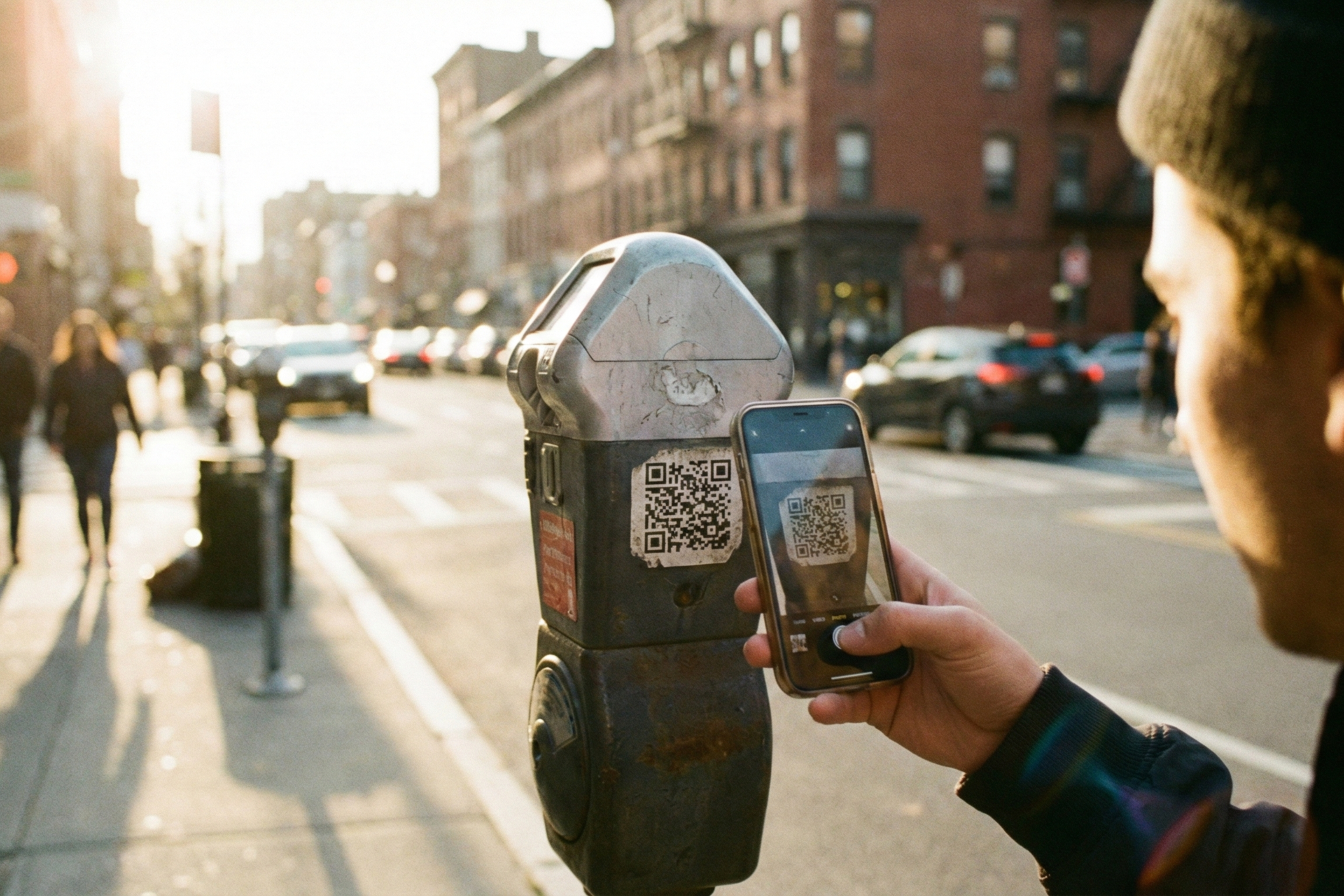
QR codes are everywhere. Restaurant menus, parking meters, product packaging, event tickets, business cards. You probably scan several every week without thinking twice.
But headlines about "quishing" attacks, FBI warnings, and mystery packages with QR codes have a lot of people asking: are QR codes actually safe?
Here's the short answer: QR codes themselves are perfectly safe. They're simply a way to encode information, like a visual version of a hyperlink. The risk isn't in the QR code itself, but in where it sends you and what you do next. Think of it this way: a QR code is like a door. The door itself isn't dangerous, but what's on the other side might be.
This guide covers every type of QR code scam, how to spot fake codes instantly, what the FBI and FTC say about QR code safety, and exactly what to do if you've been targeted.
Are QR Codes Safe? Yes, But With Important Caveats
Yes, QR codes are safe to scan. A QR code is a data format, not a threat. It encodes text, URLs, contact information, Wi-Fi credentials, or other data in a machine-readable pattern. Scanning a QR code does nothing harmful by itself. No malware gets installed. No data gets stolen. The QR code simply tells your phone what information is encoded.
The risk comes from what happens *after* you scan:
- Visiting a malicious URL that looks like a legitimate website but steals your login credentials
- Downloading a file that contains malware
- Entering personal information on a phishing page the QR code directed you to
This is exactly the same risk you face with any hyperlink in an email, text message, or website. A QR code is just another way to deliver a URL.
Static vs. dynamic QR codes and security: Static QR codes have the destination URL permanently encoded in the pattern. They can't be changed after creation, which makes the encoded data inherently tamper-resistant. Dynamic QR codes redirect through a short URL that the account owner can update. This is actually a *security advantage*, because if a destination URL gets compromised, the QR code creator can immediately redirect it to a safe page without reprinting anything.
QR codes vs. NFC tags: QR codes are arguably safer than NFC (Near Field Communication) tags. NFC tags can be read without the user actively initiating a scan, while QR codes require you to deliberately point your camera and confirm the action. That extra step of intentional interaction gives you a moment to evaluate what you're scanning.
The bottom line: QR codes are as safe as the links they contain. The key is knowing how to verify what you're scanning before you act on it.
6 Common QR Code Scams (and How Each One Works)
While QR codes themselves are safe, criminals have found ways to exploit them. Here are the six most common QR code scams.
1. Quishing (QR Code Phishing)
Quishing (a combination of "QR" and "phishing") is the most common QR code attack. Criminals create QR codes that lead to fake login pages designed to steal your credentials. The phishing page mimics a legitimate website (your bank, email provider, social media platform) and captures anything you type in.
Real-world example: In 2022 and 2023, multiple cities across the US (including Austin, TX and San Antonio) reported fraudulent QR code stickers placed on parking meters. Drivers scanned the code expecting to pay for parking, but were instead directed to a fake payment site that captured their credit card information.
2. Physical Tampering and Overlay Scams
This is the physical version of quishing. A scammer places a fraudulent QR code sticker directly over a legitimate one. You think you're scanning the restaurant's menu or the transit agency's payment portal, but you're actually scanning the attacker's code.
How to detect it: Look for stickers placed over printed codes, codes that don't match the surrounding branding or print quality, raised edges or adhesive residue around the code, and codes on surfaces where they seem out of place.
3. Brushing Scams (Package QR Codes)
This scam surged in 2024 and 2025, prompting the FTC to issue a consumer alert in January 2025. You receive an unexpected package you never ordered. Inside is a product (or sometimes just a printed card) with a QR code and a note saying something like "Scan to find out who sent this gift" or "Scan for return instructions."
The code leads to a data-harvesting website that asks for personal information. The underlying scheme is often a "brushing" operation where online sellers ship cheap products to real addresses so they can post fake "verified purchase" reviews using your name.
What to do: Don't scan the QR code. Report the incident to the FTC at ReportFraud.ftc.gov and to the retailer (Amazon has a zero-tolerance policy for brushing). You can legally keep the package, but don't interact with any codes or links inside it.
4. Malware Distribution
Some QR codes link to websites that trigger automatic file downloads containing malware. This is more common on Android devices, where sideloaded APK files can be installed outside the official app store. iOS devices are more resistant due to App Store restrictions, but are not completely immune (configuration profile exploits have been documented).
In 2021, a popular Android barcode scanner app called "Barcode Scanner" by Lavabird Ltd. turned malicious after an update. With over 10 million installs, the app pushed intrusive ads and opened fraudulent websites without user consent. Malwarebytes identified the trojan and Google removed the app, but it had to be manually uninstalled from affected devices.
5. QRLjacking (Session Hijacking)
QRLjacking targets services that use QR codes for login, such as WhatsApp Web and Discord. The attacker presents their own session QR code to the victim (often through a phishing page that looks like the real login). When the victim scans it, the attacker gains access to the victim's session.
This is particularly common on Discord, where scammers send messages like "Scan this QR code to verify your account" or "Scan to claim free Nitro." Scanning gives the attacker full access to the victim's Discord account.
6. Baiting (Fake Offer Scams)
Baiting scams use QR codes that promise something enticing: a prize, a discount, free Wi-Fi, or an exclusive deal. They exploit urgency ("Scan now, offer expires in 24 hours!") to get people to scan without thinking.
These codes are often found in public places, unsolicited mail, or social media. The destination is typically a phishing site or a page that installs tracking software.
What Is the FBI Warning About QR Codes?
On January 18, 2022, the FBI's Internet Crime Complaint Center (IC3) issued a Public Service Announcement (Alert Number I-011822-PSA) warning that cybercriminals are tampering with QR codes to redirect victims to malicious sites that steal login and financial information.
The FBI's key recommendations include:
- Inspect physical QR codes for signs of tampering (stickers placed over original codes)
- Don't download apps from QR codes; use your phone's official app store instead
- Don't make payments through QR codes from unverified sources
In January 2025, the FTC issued a separate consumer alert specifically about QR codes on unexpected packages, warning consumers not to scan codes from mystery deliveries.
In July 2025, the FBI IC3 issued another advisory about unsolicited packages containing QR codes used to initiate fraud.
Important context: These warnings don't mean "never scan a QR code." They mean be as careful with QR codes as you are with email links. The same common sense that keeps you safe from phishing emails applies to QR codes.
How to Check If a QR Code Is Safe: 5-Step Checklist
Before you act on any QR code, run through this quick checklist:
1. Inspect the physical code. Is it printed directly on the material or stuck on as a sticker? Look for adhesive edges, misaligned placement, or different print quality. Overlay scams use stickers over legitimate codes. If something looks off, don't scan it.
2. Check the context. Does the QR code make sense in this location? A QR code on a restaurant table labeled "Scan for menu" is expected. An unlabeled QR code sticker on a random pole is suspicious. Legitimate codes are always accompanied by context explaining what they do.
3. Preview the URL before clicking. Most smartphone cameras (both iPhone and Android) show a URL preview before opening the link. Check for HTTPS protocol, a recognizable domain name, and no strange characters or excessive redirects. If the preview shows a shortened URL or an unfamiliar domain, proceed with caution.
4. Verify the brand. Does the URL match the company supposedly behind the QR code? A parking meter QR code should lead to the city's official payment portal, not a random domain. When in doubt, visit the company's website directly by typing the URL yourself.
5. Use your phone's built-in camera. Both iOS and Android native cameras can scan QR codes and preview the URL. Avoid downloading third-party QR scanner apps unless they're from a well-known security vendor. The 2021 Barcode Scanner malware incident showed that even popular scanner apps can be compromised.
7 QR Code Security Best Practices for 2026
Follow these practices to stay safe whenever you encounter QR codes:
1. Treat QR codes like email links. If you wouldn't click a suspicious link in an email, don't scan a suspicious QR code. Unknown source? No context? Skip it.
2. Disable auto-open in your phone settings. Always preview the URL before your browser opens it. Most modern phones show the URL first by default, but verify your settings to be sure.
3. Keep your phone's OS and apps updated. Security patches close vulnerabilities that malicious sites could exploit after you visit them. Enable automatic updates for both your operating system and your apps.
4. Use your phone's built-in camera, not third-party scanner apps. Your iPhone or Android camera can scan QR codes natively. Third-party scanner apps introduce unnecessary risk, as the 2021 incident with Lavabird Ltd.'s Barcode Scanner (10 million devices affected) demonstrated.
5. Never enter sensitive information prompted by a QR code. Legitimate services rarely ask for passwords, Social Security numbers, or credit card details via QR-directed pages. If a QR code leads to a page requesting sensitive data, close the page and navigate to the service directly.
6. Install mobile security software. Security apps provide URL reputation checking and download scanning. They can warn you before you visit a known malicious site.
7. Report suspicious QR codes. If you encounter a QR code that seems fraudulent, report it to the FBI IC3, the FTC, and the business being impersonated. Your report helps protect others.
How to Create Safe QR Codes (For Businesses and Creators)
If you're creating QR codes for your business, marketing materials, or events, you have a responsibility to make them trustworthy for your audience.
Use a reputable QR code generator. Choose a platform with HTTPS infrastructure, transparent redirect URLs, a clear privacy policy, and an established track record. Avoid free generators that monetize through adware or data collection (see the section below on evaluating generators).
Use dynamic QR codes. If your destination URL ever gets compromised or needs to change, dynamic QR codes let you update the redirect without reprinting physical materials. This is a critical security advantage over static codes.
Brand your QR codes. Adding your logo and brand colors helps users verify authenticity. A branded QR code is much harder for scammers to convincingly replicate with an overlay sticker.
Always use HTTPS destination URLs. Never link a QR code to an HTTP (non-secure) page. Your users' browsers will flag it as insecure, and it erodes trust in your brand.
Label every QR code. Tell users what happens when they scan: "Scan for menu," "Scan to register," "Scan to visit our website." Context reduces suspicion and increases scan rates.
Test before deploying. Scan every QR code yourself and verify the destination loads correctly on both iPhone and Android before sending materials to print.
Include a short URL as a fallback. Print a readable URL alongside the QR code (e.g., "Or visit useqrkit.com/menu") for users who prefer to type rather than scan.
Scammed by a QR Code? Here's What to Do Next
If you've scanned a suspicious QR code and interacted with the destination, stay calm and follow these steps:
1. Don't panic. Scanning a QR code alone rarely causes harm. The damage comes from actions taken after scanning, like entering credentials, downloading files, or making payments.
2. Close the browser or app immediately. Stop any active connection to the suspicious site. Don't click anything else on the page.
3. Run a security scan. Use your phone's built-in security features or a reputable antivirus app to check for malware or unauthorized downloads.
4. Change compromised passwords. If you entered any login credentials on the suspicious site, change those passwords immediately. Also change any other accounts that use the same password.
5. Enable two-factor authentication. Add 2FA to your critical accounts (banking, email, social media) if you haven't already. This adds an extra layer of protection even if your password was stolen.
6. Monitor your accounts. Watch for unauthorized transactions, unfamiliar login notifications, and unexpected password reset emails for the next 30 to 60 days.
7. Report the scam. File reports with the FBI IC3, the FTC at ReportFraud.ftc.gov, and your local police. If the scam involved a specific brand or business, report it to them too.
8. If you received a mystery package: Do not scan any codes inside it. Report the brushing scam to the retailer (Amazon, Walmart, etc.) and to the FTC. You can keep the package, but don't interact with any QR codes or links it contains.
Are QR Code Generators Safe? 5 Things to Check
Not all QR code generators are created equal. The search term "QR code generator scam" exists for a reason: some free generators come with hidden catches. Here's a framework for evaluating any QR code generator:
1. HTTPS and secure infrastructure. The generator's own website should use HTTPS. If the site itself isn't secure, your generated QR codes won't be either.
2. No forced downloads or adware. Generating a QR code should not trigger pop-ups, downloads, or redirect you to ad pages. If it does, leave immediately.
3. Transparent redirect URLs. For dynamic QR codes, you should be able to see and verify where your code points at any time. Hidden or obfuscated redirect chains are a red flag.
4. Clear privacy policy. What data does the generator collect? How is it stored and used? A trustworthy platform is transparent about its data practices.
5. Established track record. Check reviews, company history, and whether the platform has a publicly identified team. Anonymous or brand-new generators with no track record warrant extra caution.
UseQRKit meets all five criteria: HTTPS-secured platform, no adware or forced downloads, fully transparent redirect URLs with real-time analytics, a published privacy policy, and an established track record as a dynamic QR code platform.
QR Code Security FAQ
Are QR codes safe to scan with my phone?
Yes. Scanning a QR code with your phone's camera is safe. The code simply encodes data (usually a URL) and your phone displays a preview before taking any action. The risk only comes from visiting malicious links or entering information on phishing sites after scanning.
What is the FBI warning about QR codes?
The FBI issued a Public Service Announcement on January 18, 2022 warning that cybercriminals tamper with QR codes to redirect victims to malicious websites designed to steal login credentials and financial information. They recommend checking the URL after scanning, inspecting physical codes for stickers, and never downloading apps via QR codes.
Can a QR code hack your phone?
No. A QR code cannot hack your phone just by scanning it. QR codes only encode data; they can't execute code or install software on their own. However, a QR code can link to a malicious website that attempts to trick you into downloading malware or entering sensitive information.
What is quishing?
Quishing is a portmanteau of "QR" and "phishing." It refers to phishing attacks delivered via QR codes instead of email links. The attacker creates a QR code that leads to a fake login page or data-harvesting site. It's the fastest-growing QR code attack vector, with reports increasing significantly since 2023.
How do you know if a QR code is legit?
Check five things: (1) Is it printed directly on the material or stuck on as a sticker? (2) Does it have context explaining what it does? (3) Does the URL preview look legitimate (HTTPS, recognizable domain)? (4) Does the URL match the company behind the code? (5) Does the physical placement make sense for its stated purpose?
Can someone steal your information from a QR code?
Not from the scan itself. But if a QR code directs you to a phishing website and you enter personal information (passwords, credit card numbers, Social Security number), that information can be stolen. The QR code is just the delivery mechanism, similar to a phishing email link.
What should I do if I scanned a suspicious QR code?
Close the browser immediately. Run a security scan on your phone. Change any passwords you may have entered. Enable two-factor authentication on critical accounts. Monitor your accounts for 30 to 60 days. Report the incident to the FBI IC3 (ic3.gov) and FTC (ReportFraud.ftc.gov).
Are free QR code generators safe?
Some are, some aren't. Safe free generators use HTTPS, don't push adware, offer transparent redirect URLs, and have a clear privacy policy. Be cautious with generators that show excessive ads, trigger downloads, or don't disclose how they handle your data. Always research the platform before using it for business purposes.
What is a brushing scam QR code?
A brushing scam involves receiving an unexpected package you never ordered. Inside is a QR code with instructions to "scan to find out who sent it" or "scan for return instructions." The code leads to a data-harvesting site. The package is part of a scheme where sellers ship cheap items to create fake "verified purchase" reviews. The FTC issued a specific warning about this scam in January 2025.
Do QR codes collect my personal information?
The QR code itself doesn't collect data. However, when you scan a dynamic QR code and visit the destination URL, the website or QR code platform may collect analytics data such as scan time, general location, device type, and operating system. Reputable platforms like UseQRKit are transparent about what data is collected and how it's used, and the data is used to help QR code creators understand scan performance, not to identify individual users.